When a Wi-Fi Bug Starts Beeping
Debugging the ROSMASTER M3 Pro, one wrong hypothesis at a time.
Today's plan was simple: spend about an hour validating the factory setup on my ROSMASTER M3 Pro, then move one step closer to a full backup.
As usual, “just one hour of debugging” turned into the robotics equivalent of saying, “I’m just going to fix one thing in the garage.” Software engineers probably know how that story ends.
The M3 Pro runs a Jetson Orin NX 16GB and creates its own Wi-Fi hotspot, M3P-LAB.
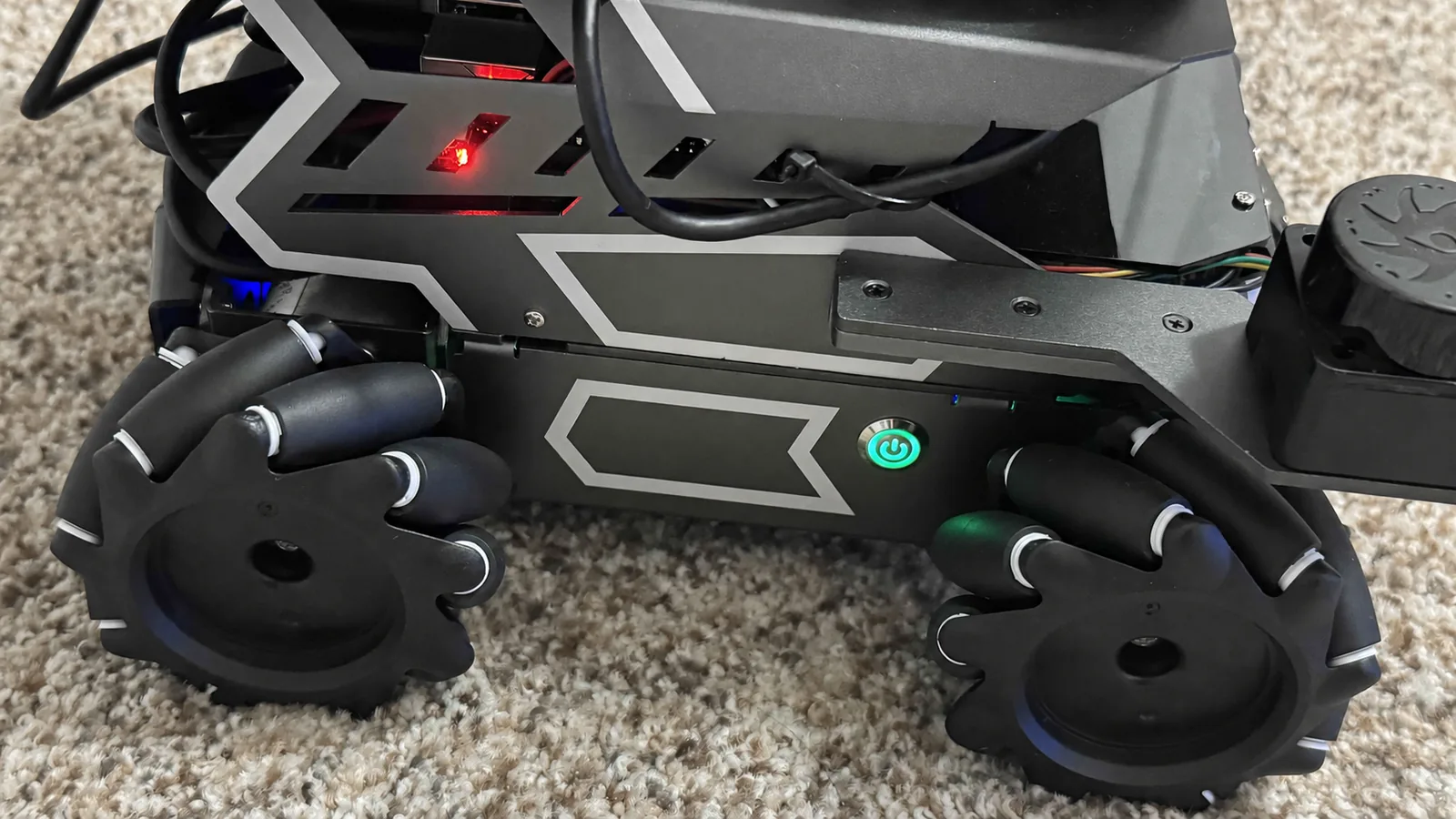
The power button was simple. The state behind it was not.
The Wi-Fi looked suspicious
While testing the factory remote-development setup, I found a surprisingly large directional bandwidth difference.
On 5 GHz:
- Mac → M3 Pro: ~105–120 Mbps
- M3 Pro → Mac: ~10–20 Mbps
On the factory 2.4 GHz configuration:
- Mac → M3 Pro: ~40 Mbps
- M3 Pro → Mac: ~15–20 Mbps
Signal strength was good at roughly -46 to -48 dBm, and four parallel TCP streams did not remove the bottleneck.
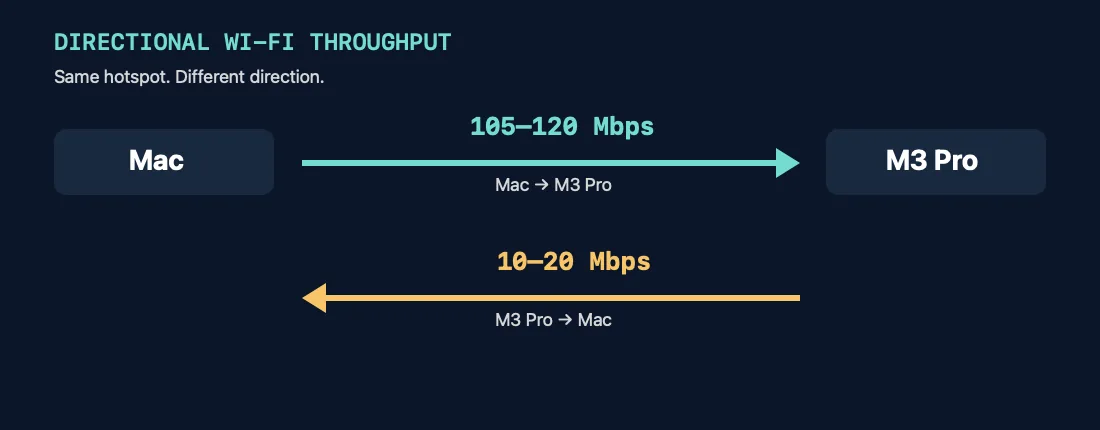
Same Wi-Fi. Very different commute.
That made the Wi-Fi software stack suspicious. The board uses a Realtek RTL8822CE. The factory Jetson image is loading Realtek's rtl8822ce vendor driver, while Linux also has the upstream rtw88 family. A future driver A/B test became an obvious experiment.
But not yet.
Measure first. Back up second. Break things professionally later.
After temporarily testing 5 GHz and a few power-management settings, I restored and verified the factory network baseline: 2.4 GHz, Channel 1, 20 MHz, 15 dBm TX power, factory power-management values, 192.168.8.88, and an active hotspot.
Then the network disappeared
At one point the Mac still appeared connected to M3P-LAB, but the robot stopped responding to ping and SSH. That made the driver look even more guilty.
I had also configured the M3 Pro's LCD to blank after about a minute, so another possibility was that the Jetson was actually entering some kind of sleep state. That theory was easy to test: I left a continuous ping running and waited. The display went black. Ping kept running.
Black screen != sleeping Jetson.
One suspect crossed off the list.
Then I checked the battery
The ROS 2 /battery topic reported 10.57 V. Repeated readings stayed almost exactly there.
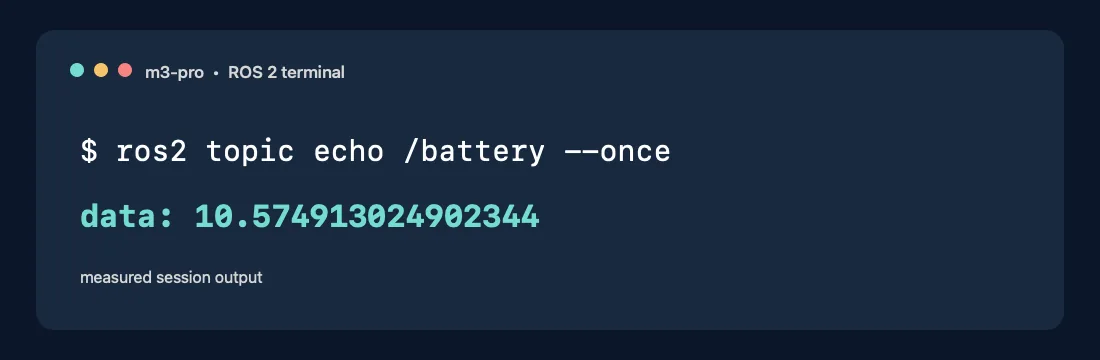
10.57 V: the plot twist.
The M3 Pro uses a 3S lithium battery pack, with a fully charged voltage around 12.6 V. At 10.57 V, the battery was clearly getting low.
Suddenly the question was no longer “Is the Wi-Fi driver broken?” It became: is the Wi-Fi driver unhappy, is low voltage making the system unstable, or have they formed a small alliance against me?
This is one of the things I am learning about Physical AI. With a backend service, a networking bug usually doesn't make you check the battery. With a robot, hardware eventually joins every software debugging conversation.
The reboot ate the evidence
The obvious next step was to inspect kernel and NetworkManager logs from the previous boot. Unfortunately: no persistent journal was found.
The M3 Pro was not preserving the previous boot's journal on disk. I had already restarted the robot, so the most useful evidence from the failure was gone.
Rebooting fixes many problems. It also occasionally destroys the crime scene.
Next time, the diagnostic logs get saved before the reboot button gets involved.
Low voltage still wasn't a complete explanation
After rebooting, the battery was still around 10.57 V. I left the robot idle with a continuous ping running. The LCD blanked. Time passed. The network stayed alive.
So the simple theory—low battery + idle time = dead Wi-Fi—didn't hold either.
At this point I had at least three reasonable possibilities:
- The RTL8822CE AP-mode driver has a TX-side problem.
- Low battery voltage only becomes important under heavier system load.
- Both are contributing.
Real bugs, unfortunately, are not always considerate enough to arrive one at a time.
Ask the manufacturer before replacing things
Rather than immediately swapping drivers, I sent Yahboom technical support the measurements and asked for their guidance: whether the AP-mode asymmetry is known on the Orin NX version, what robot → workstation throughput they expect, whether M3P-LAB is intended for sustained ROS 2 camera/LiDAR traffic, whether the Raspberry Pi version uses a different Wi-Fi stack, whether a newer supported driver or system image exists, whether upstream rtw88 is supported, whether STA mode with an external 5 GHz access point is recommended for serious remote ROS 2 work, and whether a battery around 10.5–10.6 V could destabilize Wi-Fi or PCIe before the entire system shuts down.
The next experiment will depend partly on their answer.
Then the robot finally explained itself
By this point I was ready to stop debugging and do something that actually looked like robotics: turn on the front RGB camera, grab the controller, and drive the M3 Pro around the house for a quick first-person-view test.
Then the robot suddenly produced a loud continuous BEEEEEEEEEP.
Given the earlier 10.57 V measurement, this was very likely the low-battery warning, but I did not formally prove it. I shut Linux down and powered the robot off.
After an evening of iperf3, driver parameters, ROS topics, Wi-Fi configuration, and missing journal logs, the robot itself finally provided the clearest diagnostic message of the session:
“Dude. Charge me.”
Where the investigation stands
Nothing is proven yet. The 10–20 Mbps M3 Pro → workstation throughput remains suspicious, especially because camera, depth, LiDAR, point clouds, and much of the useful ROS 2 data flow in exactly that direction. But I do not want to blame the driver until power is removed as a variable.
The next clean experiment is:
- Fully charge the battery.
- Repeat the same directional
iperf3tests. - Capture Wi-Fi, NetworkManager, kernel, and battery logs during the test.
- Reproduce sustained robot → PC traffic.
- Create a full factory disk-image backup.
- Review Yahboom's response.
- Only then A/B test the factory driver against a newer/upstream alternative if appropriate.
Today did not end with a fix. It ended with something better: a cleaner next experiment.
One final problem
At this point I finally decided that the most important system operation left for the evening was to put the engineer into sleep mode.
The robot was shut down. The battery was low. I was tired. Perfect: plug it in, go to bed, continue tomorrow.
Except then I remembered Yahboom's charging guidance: don't leave the battery charging unattended. So there I was, looking at a powered-off robot and a little charging adapter with an LED.
The robot gets to recharge. Apparently, I get to supervise.
There is something deeply unfair about a machine having a better charging routine than its owner. The architecture I wanted was:
Robot charges. Human sleeps.
The architecture I currently have is:
Robot charges. Human watches robot charging. Human battery continues toward 0%.
Maybe the next important M3 Pro upgrade is not SLAM, a vision-language-action model, or autonomous manipulation. Maybe it is simply:
Charge yourself safely while Kai is asleep.
That might become the first autonomous capability in this project that measurably improves my quality of life.